
Showit for Interior Designers: Why It’s My Go-To Website Platform
If you’ve started researching website platforms, you’ve probably noticed how many there are to choose from. Each one promises to be easy and beautiful. So when you hear other designers talk about Showit for interior designers, it’s fair to wonder if it’s worth the hype.
I spent 10 years building websites on WordPress, many of them for interior designers, and Showit is now the platform I trust most for this industry. Showit is a drag-and-drop website builder made for creative businesses. For interior designers, it offers full design freedom to showcase your portfolio, easy mobile editing, built-in hosting and security, and a support team you can reach directly. Together, that makes it one of the simplest ways to launch a polished website you can easily manage yourself.
Below, I’ll walk you through why I recommend it, and the one thing I’d do before you ever open the editor.
Start With a Template, Then Make It Your Own
Showit gives you complete creative freedom. That’s its biggest strength, and it’s also the reason I don’t recommend starting from a blank canvas unless you’re a web designer.
A blank page asks you to make every decision at once. Page structure, spacing, how your services flow into your inquiry form, how everything stacks on a phone. Those choices are where strategy lives, and they’re easy to miss when you’re building from scratch while also running a design studio.
A template gives you a strong foundation to start from. The layout, page flow, and mobile setup are already thought through, so you get to spend your energy on the fun part: making it yours. And with Showit, you can customize as much or as little as you’d like. Some designers swap in their photos and studio details, then launch. Others rework a section here and a page there until it barely resembles where it started. Both are completely valid, and you can take it piece by piece at your own pace.
This is exactly how I build my own templates, with the strategy baked in so you can focus on putting your stamp on it.
Why I Recommend Showit for Interior Designers
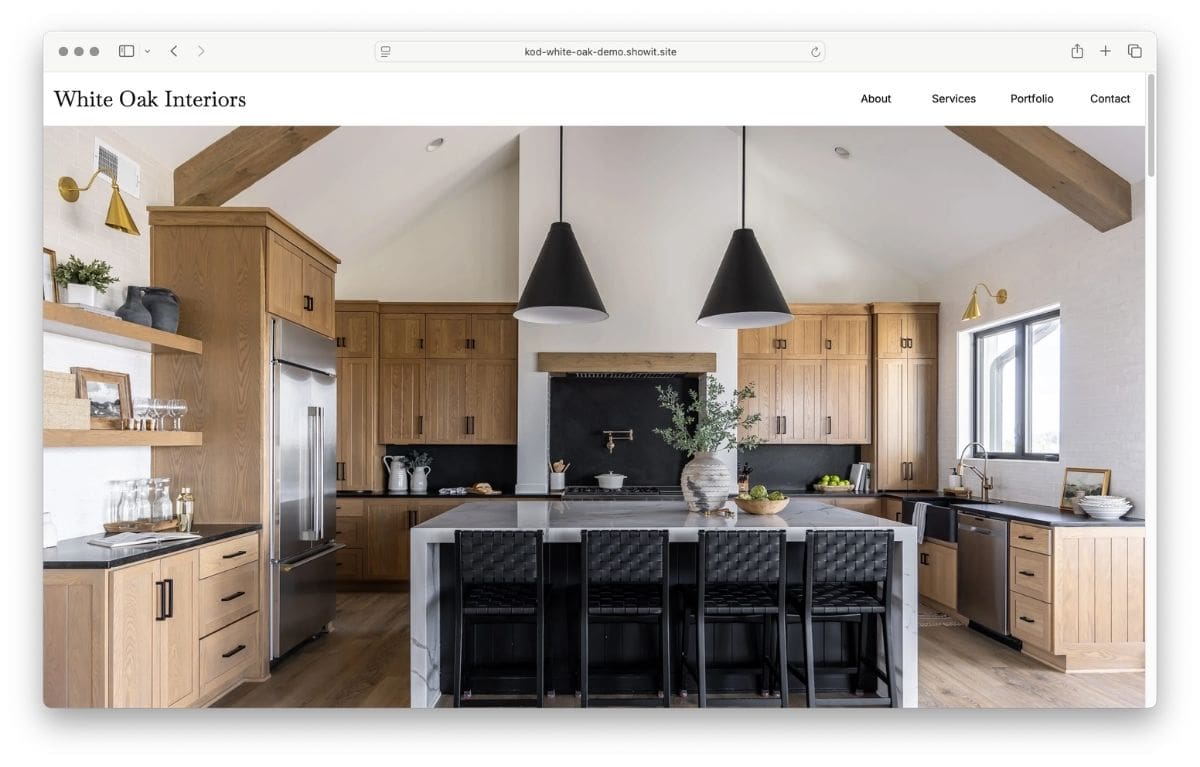
Showit gives you the freedom to put your work center stage.
Your portfolio is your most persuasive sales tool, and it deserves more than a standard grid of thumbnails. Showit doesn’t lock you into rigid blocks or columns. You can place images and text wherever you want, layer elements, and lay out a project page more like a magazine spread than a photo gallery.
In my WordPress years, getting truly creative usually meant custom code. That also made sites harder for designers to update on their own. With Showit, the same creative flexibility comes without the code, which means you can keep adding projects and refreshing pages long after launch.
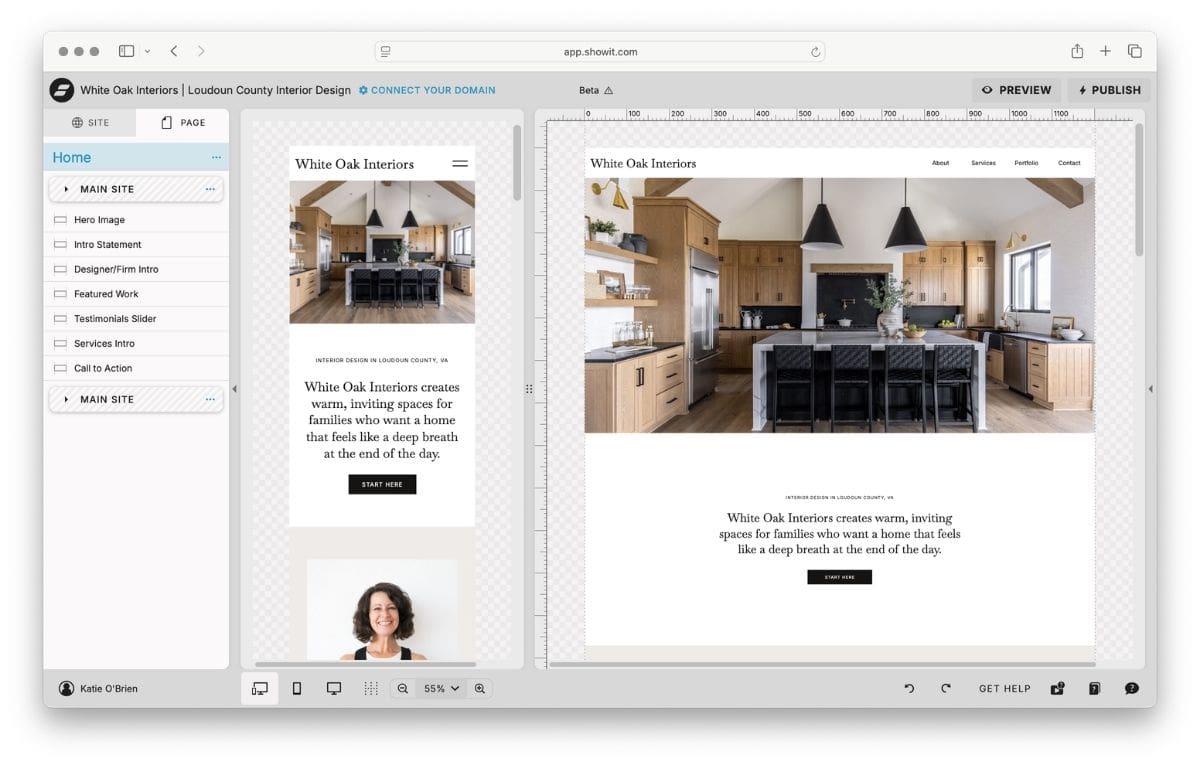
Making mobile edits only takes a few clicks.
So many potential clients will find you on their phone first, whether they tapped a link from Instagram or searched for designers in their area. Your mobile site needs to look just as polished as your desktop site.
In Showit, you can see your desktop and mobile views right next to each other while you work. If a headline feels too big on a phone or a photo needs to move up, you can tweak it in a few clicks.
Small refinements like these are what make a site feel finished, and Showit makes them easy.
Hosting, security, and launch are all handled for you.
With Showit, there’s no separate hosting company to research or pay for. Hosting is included in your Showit plan, along with an SSL certificate that keeps your site secure. There are no plugins to keep updated, so your site stays simple to maintain.
Launching is refreshingly simple too. You connect the domain you already own, whether you bought it through GoDaddy, Namecheap, or somewhere else, and publish. It’s one of those steps that feels intimidating until you see how little there is to it.
You can reach a real support team whenever you need help.
This is one of my favorite things about Showit. When you have a question, you can reach out to Showit’s support team directly. You’re not waiting on a web designer to get back to you, and you’re not digging through forums hoping someone had the same issue.
Showit also has an active community of users and designers, so it’s easy to find tips and inspiration as you go. Knowing help is there when you need it takes so much of the pressure off doing it yourself.
Your website can grow right alongside your studio.
Whether you have one finished project or dozens, a Showit site can grow with you. You can duplicate a project page you love and swap in new photos for the next project, add a new service page when your offers grow, or build out more detailed portfolio pages over time. Your website can easily grow alongside your studio instead of needing to be rebuilt every few years.
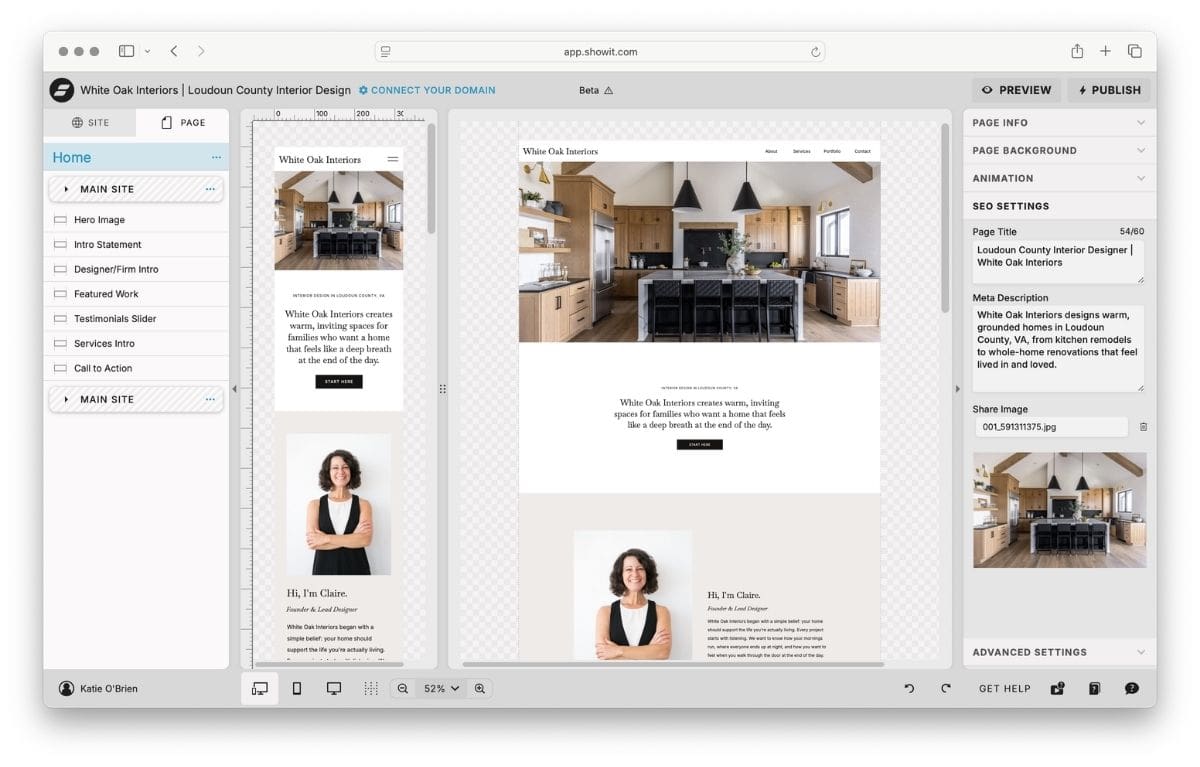
Built-in SEO tools help the right clients find you.
A beautiful website does the most for your business when the right people can find it. Showit gives you the SEO essentials right inside the editor, so you can cover the basics without extra plugins or technical know-how.
For each page, you can write your own SEO title and meta description, which is what shows up in Google search results. You can also add alt text to your project photos, customize your page URLs, and set up redirects if you ever rename or move a page.
Clear structure matters too, both for Google and for the AI search tools more people are using to find local services. When your headings, services, and service area are easy to read on the page, search engines and AI tools can better understand who you serve and where. Showit makes that structure simple to build and keep up as your studio grows.
What About Blogging on Showit?
If blogging is part of your plan, Showit has you covered there too. Showit’s blog is powered by WordPress and hosted by Showit, so you design how your blog looks in Showit and write your posts in the familiar WordPress editor. You’ll need a Showit plan that includes the blog to use this feature.
Because it runs on WordPress, you can also use an SEO plugin like Yoast to help each post get found. For interior designers, a blog is a wonderful place to share full project stories, design tips, and behind-the-scenes moments that don’t fit on your portfolio page.
A Website You Can Feel Confident In
Choosing a platform is one of the first big decisions in building your website, and it shapes how you’ll feel about your site for years to come. If you want a beautiful, professional website that you can understand, update, and feel proud of, Showit is hard to beat. And since Showit offers a free trial, you can explore the editor for yourself and see how it feels before you commit.
Start with a strong foundation, make it your own, and you’ll have a website that finally feels like a true reflection of your studio. One you’re excited to send people to, and easy enough to keep fresh as your business grows.

